Icon of program: shadowClipboard

shadowClipboard for Mac

  • Trial version
  • 4.5
    1
  • 247
  • V3.0.5

The clipboard manager for Mac

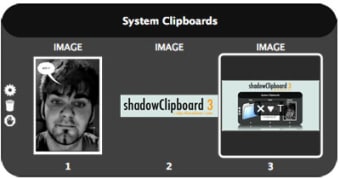
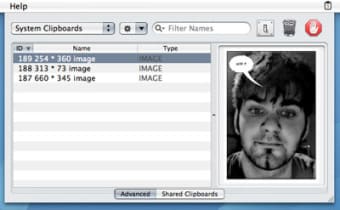
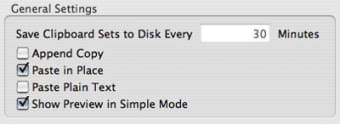
shadowClipboard is a streamlined clipboard manager for Mac. We found the program very easy to use and yet stuffed with features. You can literally access and copy and paste information from all sorts of files, whether documents, images, links or media. What you copy can be immediately pasted or kept organized in shadowClipboard. Beginners will like Simple Mode, which lets you copy and paste in seconds. With advanced mode you can handle up to 100 items, preview them in the interface, and even filter items in your clipboard.

shadowClipboard offers a very attractive interface and always fits discreetly up in the menu bar. You can easily access it whenever you want and even use one of the numerous keyboard shortcuts to activate it. Even though a number of users have complained at some crashes and bugs suffered when using shadowClipboard, all in all it's a nice, advanced clipboard for Mac.

shadowClipboard takes copy and paste to a new level on Mac.
  • Pros

    • Discreet
    • Nice GUI
    • Create multi-clipboards
    • Simple and advanced modes
  • Cons

    • Some bugs
 0/3

App specs

  • License

    Trial version

  • Version

    3.0.5

  • Latest update

  • Platform

    Mac

  • OS

    Mac OS X

  • Language

    English

  • Downloads

    247

  • Size

    1.70 MB

  • Developer

    • Stupidfish23

Program available in other languages


Icon of program: shadowClipboard

shadowClipboard for Mac

  • Trial version
  • 4.5
    1
  • 247
  • V3.0.5

User reviews about shadowClipboard

Have you tried shadowClipboard? Be the first to leave your opinion!

Add review

You may also like

Explore Apps

Latest articles

Laws concerning the use of this software vary from country to country. We do not encourage or condone the use of this program if it is in violation of these laws.
Softonic

Is shadowClipboard safe?

100/100

Score result: Clean

This file passed a comprehensive security scan using VirusTotal technology. It is safe to download.

  • Virus free
  • Spyware free
  • Malware free
  • Verified by Security Partners

    VirusTotal logo

Scan Info

Last scan
Tuesday, November 28, 2023
Scan provider
VirusTotal · Full report

File Integrity

File
shadowclipboard3softonic.dmg
SHA256
9c91d23ef1645ec34fe26b492f23330f4316812d7d38570271d11da51437cb1d
SHA1
432ffec147cc68206bff8cca5aef95fc96ee2f8f

Softonic security commitment

shadowClipboard has been thoroughly scanned by our advanced security systems and verified by industry-leading partners. This file comes from the official developer and has passed all our security checks, showing no signs of viruses, malware, or spyware. For more information, visit our Security and Trust Center